How I Deployed a Next.js Site on Cloudflare for Free (2026)
Next.js static export on Cloudflare Workers: the build setup, the OpenNext error I hit and the one-line fix, a Namecheap domain, HTTPS, redirects and free email.
By marouaneTech · Published · 10 min read
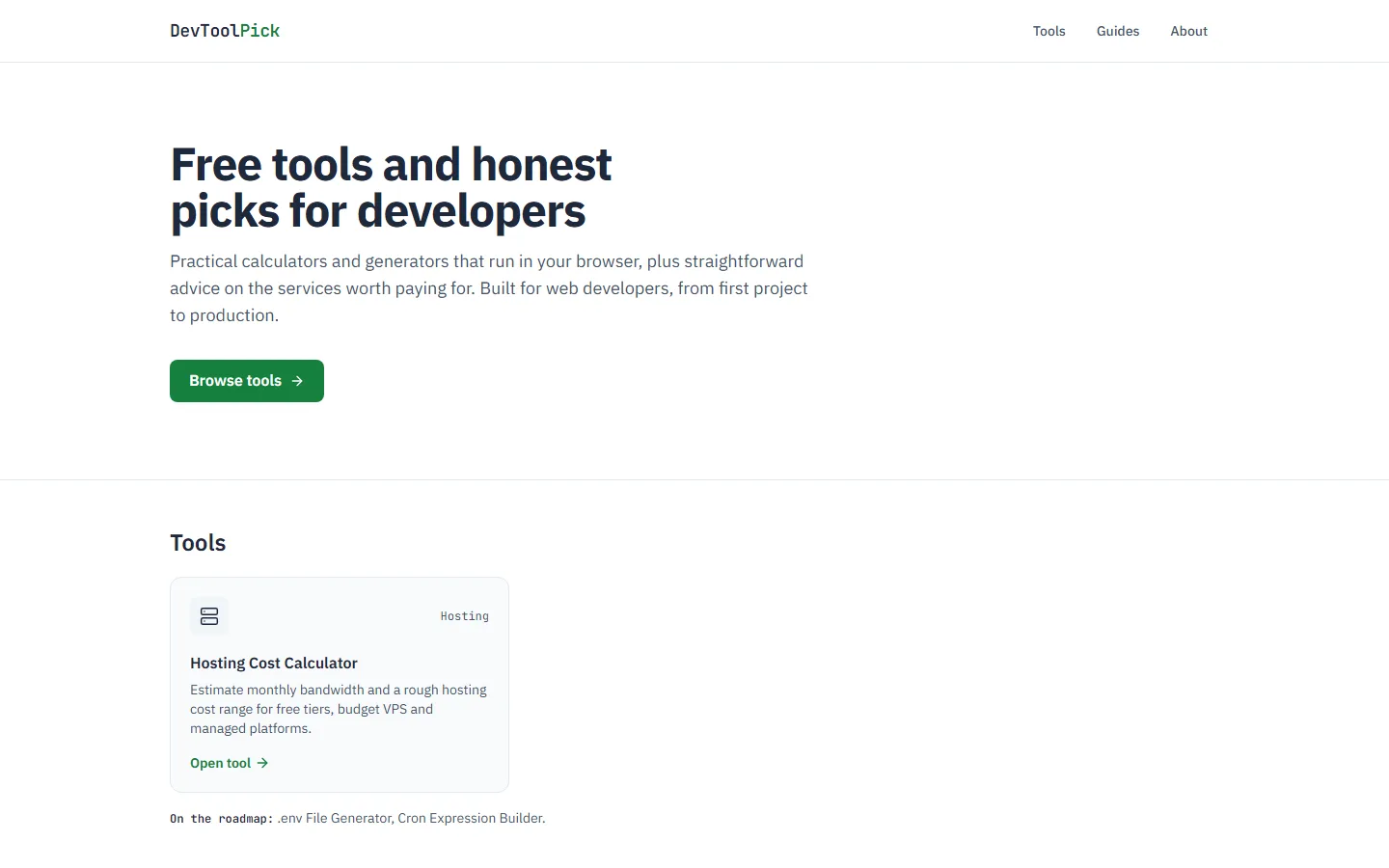
I'm marouaneTech, a web developer from Agadir, Morocco. This guide is the exact path I took to put DevToolPick online: a Next.js site with free developer tools and honest recommendations. It's a real deployment, including the error that cost me the most time and the small config file that fixed it.
The result: the site runs on Cloudflare, loads fast, has free HTTPS and a custom domain, and the only thing I pay for is the domain name.
Why Cloudflare
I had three requirements:
- No "non-commercial only" rule on the free plan. DevToolPick earns affiliate commissions, so it's a commercial project. Vercel's free Hobby plan is restricted to non-commercial, personal use; I didn't find a similar restriction for Cloudflare's free plan in its Self-Serve Subscription Agreement.
- Fast everywhere. Static files are served from Cloudflare's global network, close to each visitor.
- Free HTTPS and DNS, with no extra setup.
DevToolPick has no backend. Every tool runs in the browser, so I could ship the whole site as static files. That decision is what makes the free setup possible.
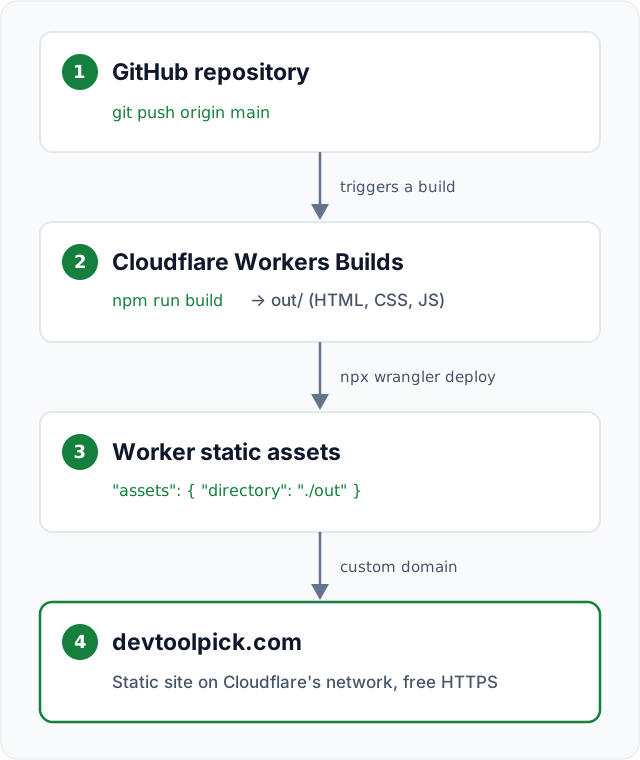
Step 1: Configure Next.js for static export
The project is a standard Next.js App Router app with TypeScript and Tailwind CSS. A static export turns every page into plain HTML, CSS and JavaScript at build time. Here is the part of my next.config.ts that matters:
import type { NextConfig } from "next";

const nextConfig: NextConfig = {
  // Write a fully static site to out/ on `npm run build`.
  output: "export",
  // The default image optimizer needs a server, so serve images as-is.
  images: { unoptimized: true },
  // /about → /about/index.html, which static hosts serve cleanly.
  trailingSlash: true,
};

export default nextConfig;
Then build it:
npm run buildNext.js writes the site to an out/ folder: one index.html per route plus the _next/static/ assets. That folder is everything Cloudflare needs to serve.
Step 2: Push the project to GitHub
Cloudflare builds from a Git repository, so the code goes to GitHub first:
git init
git add .
git commit -m "first commit"
git branch -M main
git remote add origin https://github.com/<your-username>/devtoolpick.git
git push -u origin main
Every push to main now triggers a new deployment.
Step 3: Create the Worker on Cloudflare
In the Cloudflare dashboard I went to Workers & Pages → Create application, picked GitHub, authorized Cloudflare and selected the repository. Then I set the build settings and clicked Save and Deploy:
| Setting | Value |
|---|---|
| Build command | npm run build |
| Deploy command | npx wrangler deploy |
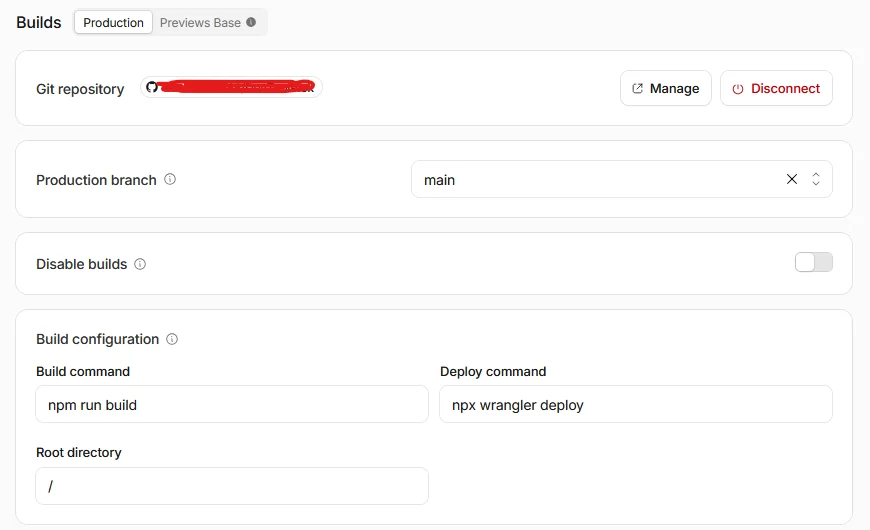
The build command creates out/. The deploy command, which is already npx wrangler deploy by default, runs Wrangler, Cloudflare's CLI, to upload the result. At least, that was the plan.
Step 4: The error I hit (and the fix)
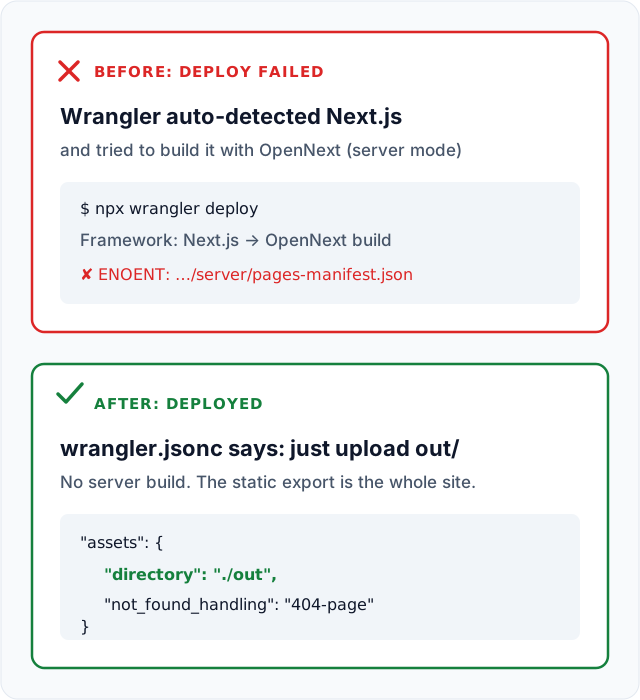
The first deployment failed, and the log shows exactly why. npm run build worked fine. The problem started when npx wrangler deploy ran: my project had no Wrangler config yet, so Wrangler 4.152.0 tried to configure itself. It detected Next.js, assumed the output was in .next (the folder for a server build), and answered its own setup questions because a build runs non-interactively:
Detected Project Settings:
 - Worker Name: devtoolpick
 - Framework: Next.js
 - Build Command: npm run build
 - Output Directory: .next

? Do you want to modify these settings?
🤖 Using fallback value in non-interactive context: no

🛠️  Configuring project for Next.js with OpenNext by running `@opennextjs/cloudflare migrate`
It then installed OpenNext, the adapter that runs a server-based Next.js app on Workers, rebuilt the site with it, and crashed while bundling:
Error: ENOENT: no such file or directory, open '/opt/buildhome/repo/.next/standalone/.next/server/pages-manifest.json'

✘ [ERROR] Running custom build `npx opennextjs-cloudflare build` failed. There are likely more logs from your build command above.
Failed: error occurred while running deploy command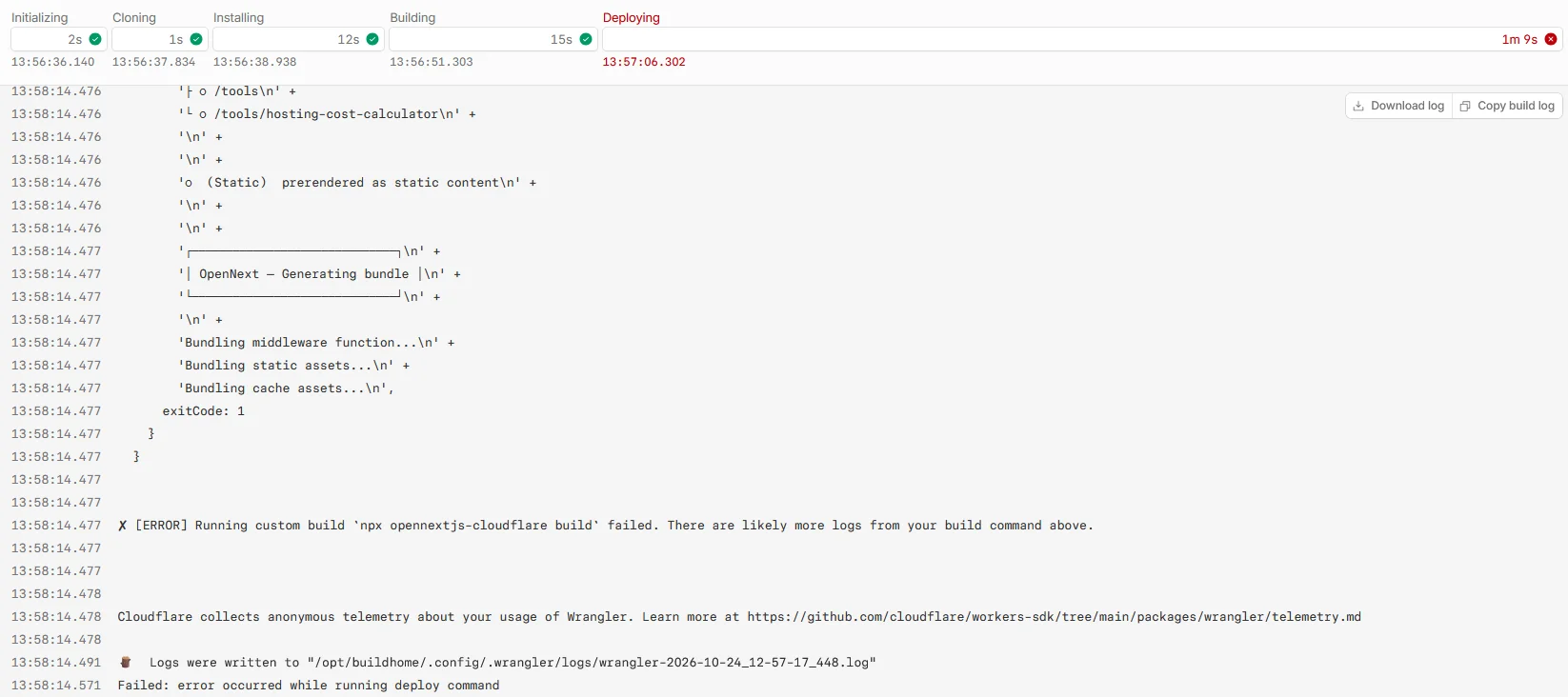
Why: OpenNext reads the server files that a normal Next.js build writes to .next/standalone. My site is a static export, so that server output doesn't exist; there is no server part at all. Wrangler was trying to package a server my project never had.
The fix was to tell Wrangler explicitly what to deploy: just the static files in out/. I added a wrangler.jsonc file to the root of the project:
{
  "$schema": "node_modules/wrangler/config-schema.json",
  "name": "devtoolpick",
  "compatibility_date": "2026-10-19",
  "assets": {
    "directory": "./out",
    "not_found_handling": "404-page"
  }
}
With assets.directory set, Wrangler skips the framework detection and uploads out/ as static assets. not_found_handling: "404-page" serves my custom 404.html with a real 404 status for unknown URLs. I pushed the file, the next build passed, and the site was live on a workers.dev URL.
Since then I test every change locally the same way Cloudflare will serve it. After a build, this command runs the site with the same wrangler.jsonc:
npm run build
npx wrangler dev
It serves out/ on localhost:8787, including the 404 page, redirects and headers. That's how I checked my redirects for loops and caught a broken prefetch file before it ever reached the live site.
Step 5: Connect a Namecheap domain
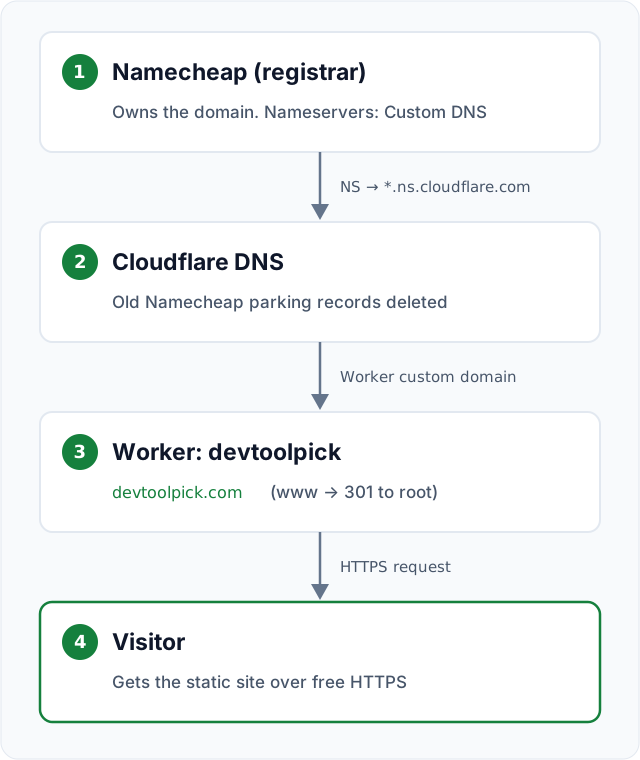
I bought devtoolpick.com at Namecheap for $11.48 for the first year. To use it with the Worker, Cloudflare has to manage the domain's DNS.
Add the domain to Cloudflare
In Cloudflare I added devtoolpick.com as a new domain on the Free plan. Cloudflare scanned the existing DNS records and showed me two nameservers assigned to my account. Mine were adelaide.ns.cloudflare.com and vasilii.ns.cloudflare.com. Yours will be different.
Switch the nameservers at Namecheap
In Namecheap: Domain List → Manage → Nameservers → Custom DNS, then paste the two Cloudflare nameservers and save.

Clean up the old parking records
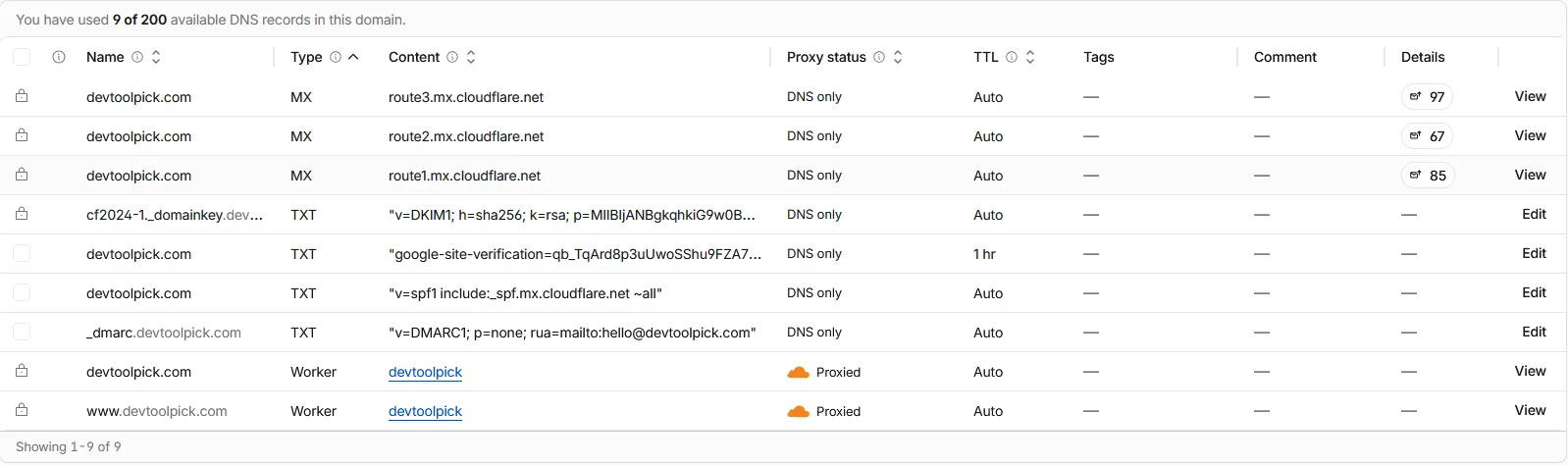
The DNS scan had imported Namecheap's parking-page records. I deleted them myself on the DNS → Records page, because they conflict with the Worker's custom domains.
Attach the domain to the Worker
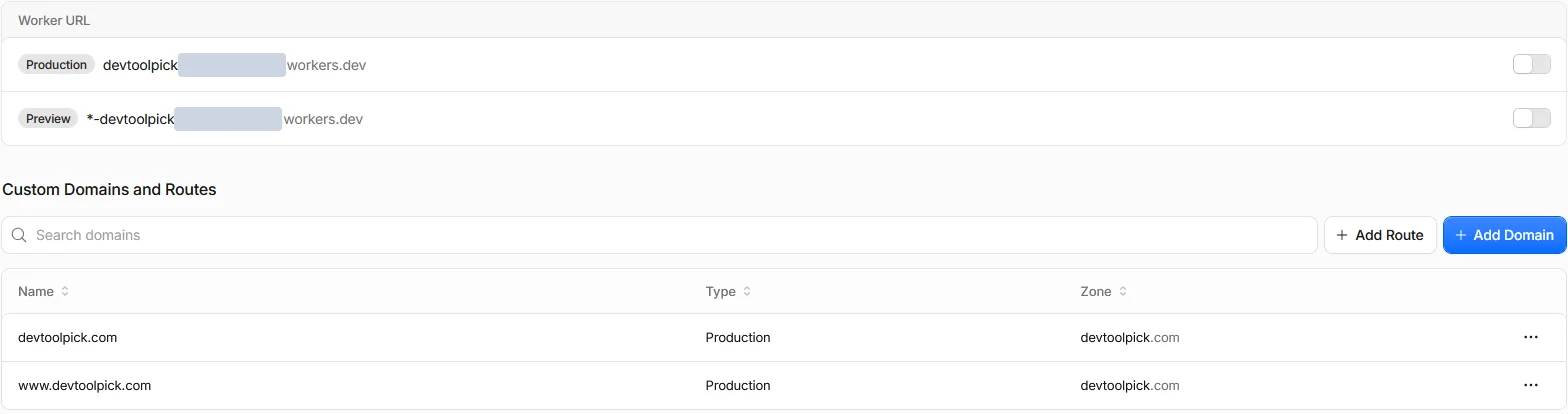
In the Worker: Settings → Domains & Routes → Add → Custom domain, then enter devtoolpick.com. I added www.devtoolpick.com the same way. For each one, Cloudflare creates a DNS record of type Worker and the HTTPS certificate automatically. The www version gets redirected to the root domain in step 6.
You can check that the nameservers switched from your own terminal:
nslookup -type=NS devtoolpick.comWhen the answer lists the ns.cloudflare.com nameservers, the domain is active on Cloudflare.
Step 6: Finishing touches
The site worked at this point, but a few settings make it production-ready.
Always use HTTPS
SSL/TLS → Edge Certificates → Always Use HTTPS. Every http:// request now gets a 301 redirect to https://.
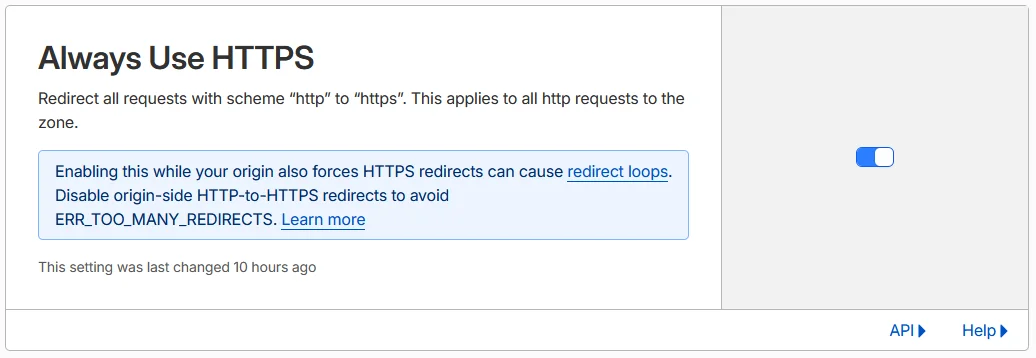
The warning about redirect loops doesn't apply here: a static site on Workers has no origin server doing its own HTTPS redirect.
Redirect www to the root domain
Without a redirect, www.devtoolpick.com and devtoolpick.com are two copies of the same site, which is bad for SEO. Cloudflare has a ready-made template for this: Rules → Overview → Templates → Redirect from WWW to root. It creates a redirect rule that sends every www URL to the same path on the root domain with a permanent 301. Cloudflare documents the same rule with these settings:
| Setting | Value |
|---|---|
| Request URL (wildcard) | https://www.* |
| Target URL | https://${1} |
| Status code | 301 |
| Preserve query string | On |

You can test it with curl:
curl -sI https://www.devtoolpick.com/about/
# HTTP/1.1 301 Moved Permanently
# Location: https://devtoolpick.com/about/
Disable the workers.dev URL
Every Worker also gets a public *.workers.dev address, another duplicate of the site. I turned it off, along with preview URLs, in wrangler.jsonc:
{
  // ...
  "workers_dev": false,
  "preview_urls": false
}
After the next deploy, both switches under Worker URL in the Worker's Domains tab show as off (see the screenshot in step 5).
Free email with Cloudflare Email Routing
A contact address on your own domain looks far more trustworthy than a Gmail address. Email → Email Routing lets you create hello@devtoolpick.com and forward it to your personal inbox for free. Cloudflare adds the DNS records for you: three MX records (route1, route2 and route3.mx.cloudflare.net), an SPF record and a DKIM record (cf2024-1._domainkey).
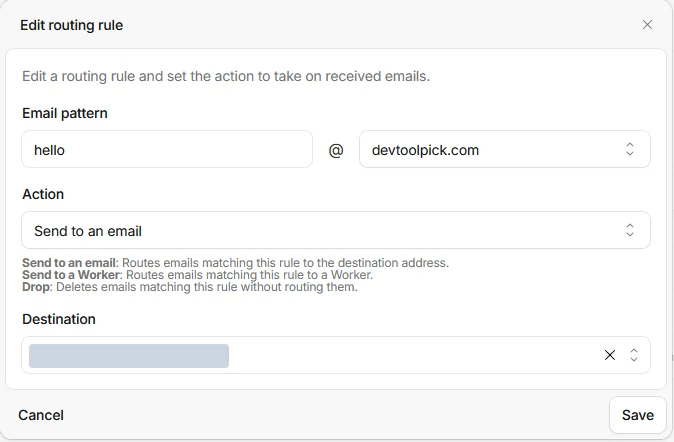
Email Routing only receives mail, and for now that's all I use: messages to hello@ arrive in my personal inbox. If you want to reply from hello@, you need an SMTP service on top, for example Gmail's "Send mail as" with an email provider.
Add a DMARC record
DMARC tells mail providers what to do with messages that fail authentication. I added a TXT record named _dmarc:
v=DMARC1; p=none; rua=mailto:hello@devtoolpick.comp=none only monitors and doesn't block anything, which is a safe start.
Make trailing-slash redirects permanent
With trailingSlash: true, my canonical URLs end in a slash, like /tools/. Cloudflare already redirects /tools to /tools/, but with a temporary 307. I wanted a permanent 301, so a small script writes a _redirects file into out/ after every build, one line per page:
/about /about/ 301
/tools /tools/ 301
/tools/hosting-cost-calculator /tools/hosting-cost-calculator/ 301
Workers static assets read this file automatically. I tested it with wrangler dev first to make sure /tools/ didn't redirect to itself.
Check that everything works
Before calling it done, I ran a few checks from the terminal. They take a minute and catch most mistakes:
# Every page should return 200
curl -sI https://devtoolpick.com/tools/ | head -1

# Unknown URLs should return your 404 page with a 404 status
curl -sI https://devtoolpick.com/does-not-exist/ | head -1

# http and www should both 301 to https://devtoolpick.com
curl -sI http://devtoolpick.com/ | grep -i location
curl -sI https://www.devtoolpick.com/ | grep -i location

# Headers from _headers should be present
curl -sI https://devtoolpick.com/ | grep -i content-security-policy
I also opened every page with the browser console open. When I turned on Cloudflare Web Analytics, its script was blocked by my own Content Security Policy, and the console was the only place that showed it. Allowing static.cloudflareinsights.com in the policy fixed it.
What it costs and what you give up
| Item | Cost |
|---|---|
| Domain at Namecheap | $11.48 (first year) |
| Cloudflare Workers (static assets) | $0 (static asset requests are free and unlimited) |
| Workers Builds from GitHub | $0 (3,000 build minutes per month on the free plan) |
| HTTPS certificate | $0 |
| DNS | $0 |
| Email Routing | $0 |
| Total | The domain only |
Cloudflare's Workers pricing page says it plainly: "Requests to static assets are free and unlimited." The free plan's limit of 100,000 requests per day applies to Worker code, and this site doesn't run any. Builds are limited to 3,000 minutes a month, one at a time, with a 20-minute timeout; a DevToolPick build takes well under that.
The trade-off is that a static export has no server:
- No server-side rendering on request, no API routes, no server actions, no middleware.
- No built-in image optimization (hence
images: { unoptimized: true }). - Dynamic routes need
generateStaticParamsso every page exists at build time.
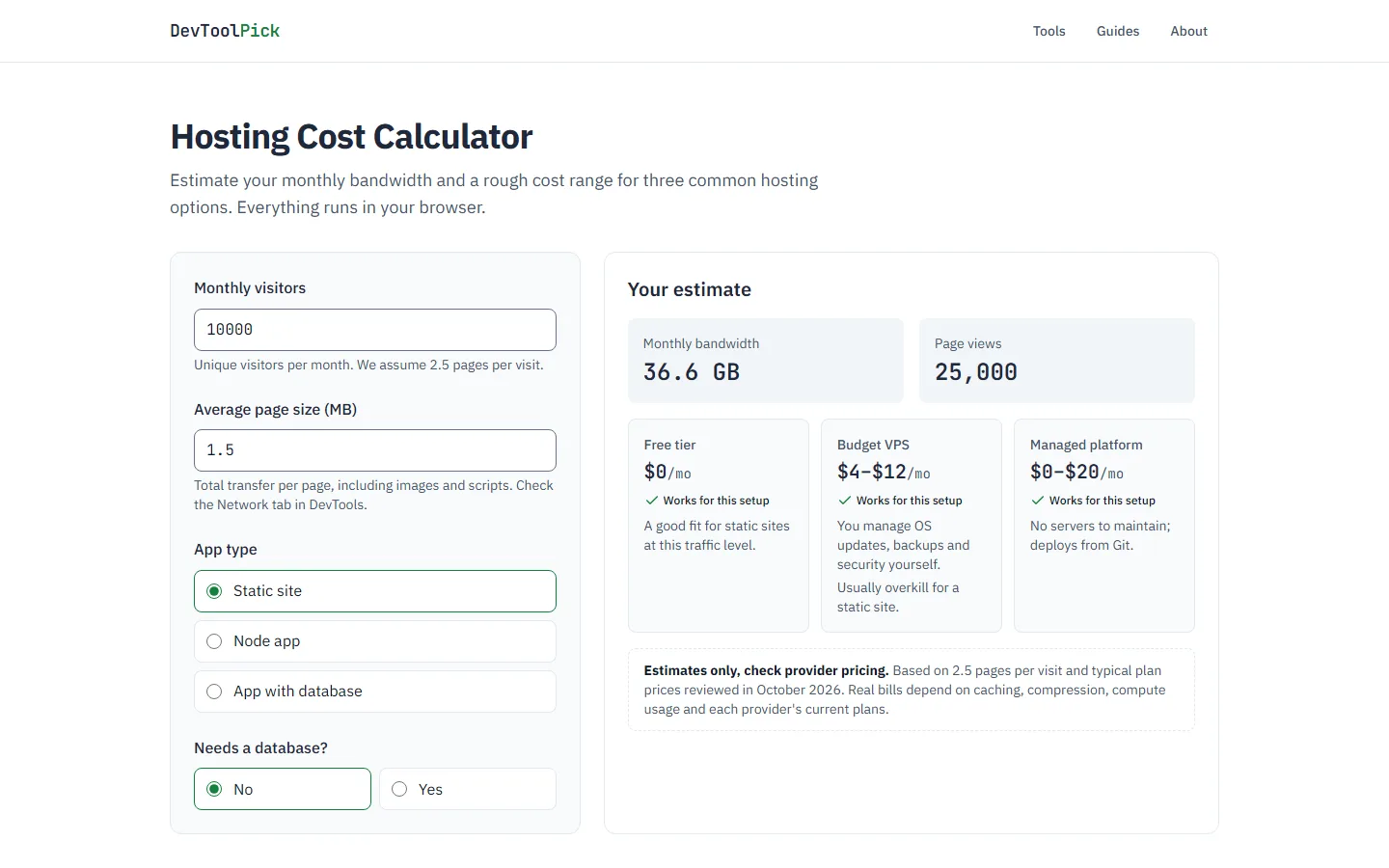
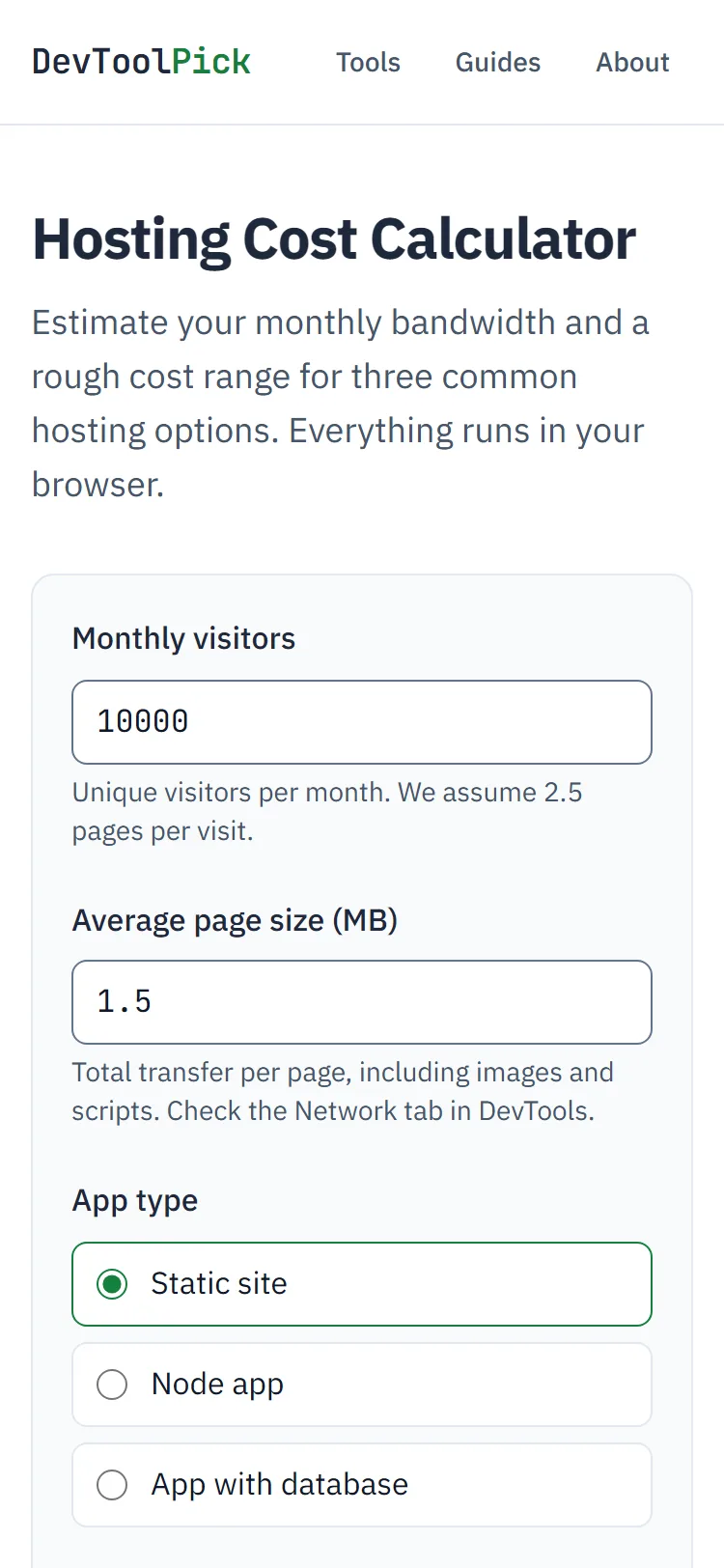
For DevToolPick that's fine: the tools run in the browser and the content changes only when I deploy. If you're not sure what your own project would cost on other hosts, I built the Hosting Cost Calculator to estimate bandwidth and a monthly price range from your traffic and page size.
What I'd do differently
If I started again tomorrow, I would:
- Add
wrangler.jsoncbefore the first deploy. It would have saved me the OpenNext detour entirely. - Turn off
workers.devand preview URLs on day one, so no duplicate copy of the site is ever public. - Set up email and DMARC early. A working
hello@address on your own domain matters as soon as you contact anyone about the site. - Test with
wrangler dev, not justnext dev.next devdoesn't know about_headers,_redirectsor the 404 handling, so it can't catch problems with them.
FAQ
Why not Vercel's free plan?
Vercel's own docs say the Hobby plan "restricts users to non-commercial, personal use only." DevToolPick earns affiliate commissions, so it doesn't fit that plan.
Can I use server features with this setup?
Not with a static export. If you need server-side rendering or API routes on Cloudflare, look at the OpenNext Cloudflare adapter, the same thing Wrangler tried to use in my failed deploy. It's a different setup with different limits.
How long do nameserver changes take?
Cloudflare's setup guide says to "wait up to 24 hours while your registrar updates your nameservers." Mine was active within an hour. Cloudflare emails you when the domain becomes active. One thing to check first: if DNSSEC is on at your registrar, turn it off before switching nameservers, or the domain can become unreachable.
Should I use Cloudflare Pages or Workers?
Both can host a static Next.js export. For new projects, Cloudflare's Workers best practices are explicit: "If you are starting a new project, use Workers instead of Pages." Pages still works, but new features go to Workers. For a static site like this one, Workers needs only the small wrangler.jsonc above, with no Worker code at all.